Ewebot WordPress Theme Help Center
  • Docs
  • Customization
  • Theme Demos
  • Facebook Group
  • Support
Documentation

Browse step-by-step tutorials and detailed documentation

smartdocs-search-loader

Export/Import Theme Options

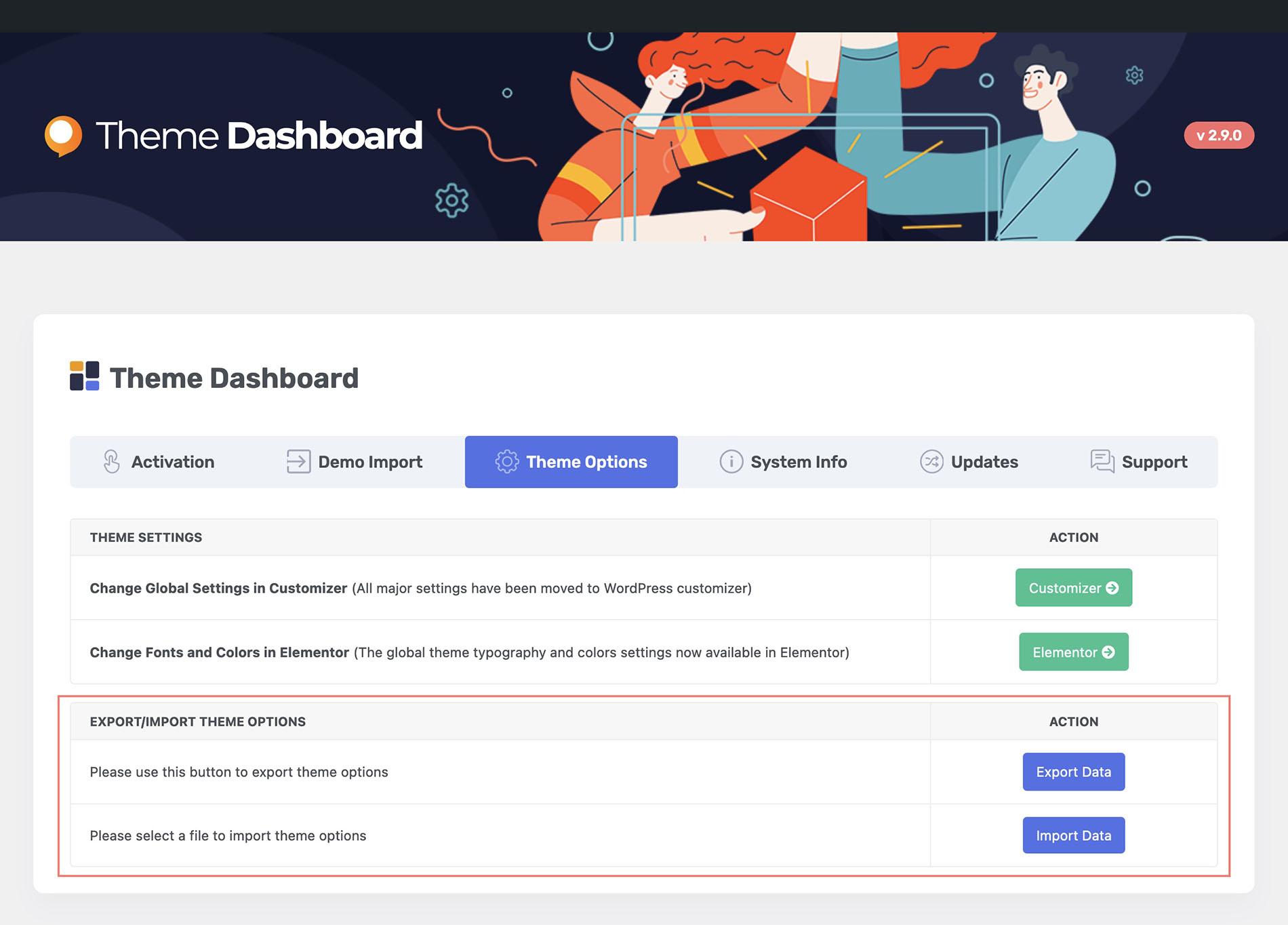
You can easily add export/import theme options feature to the theme. It's available in your Ewebot theme dashboard. You can export your current theme options in .json file format.

Not the solution you are looking for?

Please check other articles or open a support ticket.
Was this article helpful to you?

Yes 2 No 1
← Assigning Footer
Customizer & Elementor Options →

Related Articles

  • Customizer & Elementor Options

Documentation Tree

  • General 9
  • Header Builder 7
  • Footer Builder 2
  • Page Options 1
  • Theme Options 2
    • Customizer & Elementor Options
    • Export/Import Theme Options
  • Troubleshooting 3
  • FAQ 18
  • Changelog 1
  • WordPress Tuts 19

🔥 New Ewebot Demo

⚡️ Popular WordPress Tutorials

  • Best Practices for 100vh Containers and Responsive Image Scaling in Elementor
  • Why Does WordPress Ask for FTP Credentials When Installing Plugins?
  • How to Fix the 500 Internal Server Error in WordPress.
  • How to Fix “The Link You Followed Has Expired”.
  • How to Display the Current Year on Your WordPress Website.
Copyright © 2026 GT3Themes. All Rights Reserved.
More Products
Buy Now
Documentation
Purchase Theme Now

The Best WordPress Themes